
The contact center for short-term rental teams
Route every call to someone who can answer, let the AI assistant handle the simple questions, and see exactly where coverage slips.

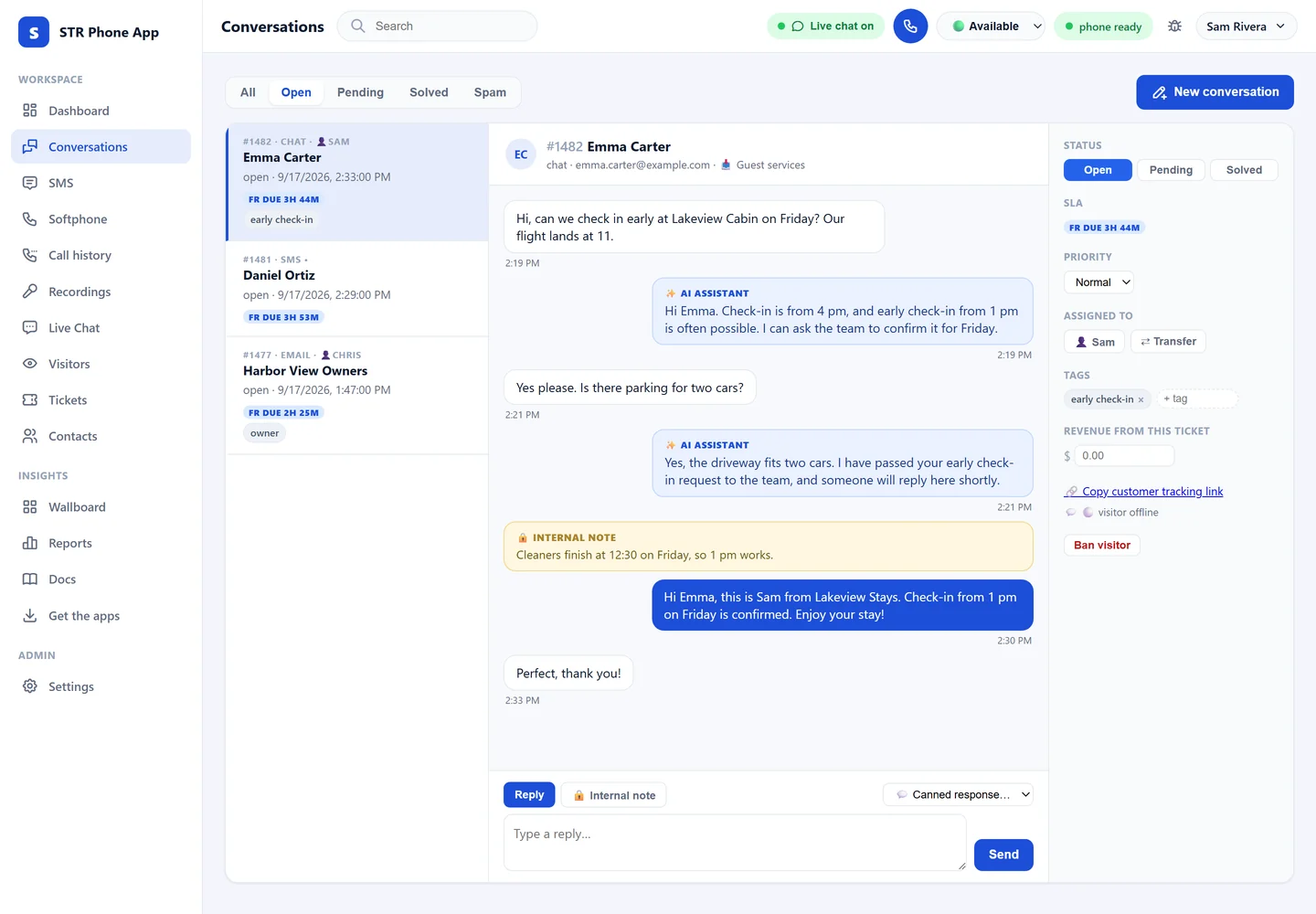
The AI assistant answers first. Your team takes over.
On website chat, the assistant answers common guest questions from your own knowledge base, day or night. When a guest needs a person, your team picks up in the same thread.
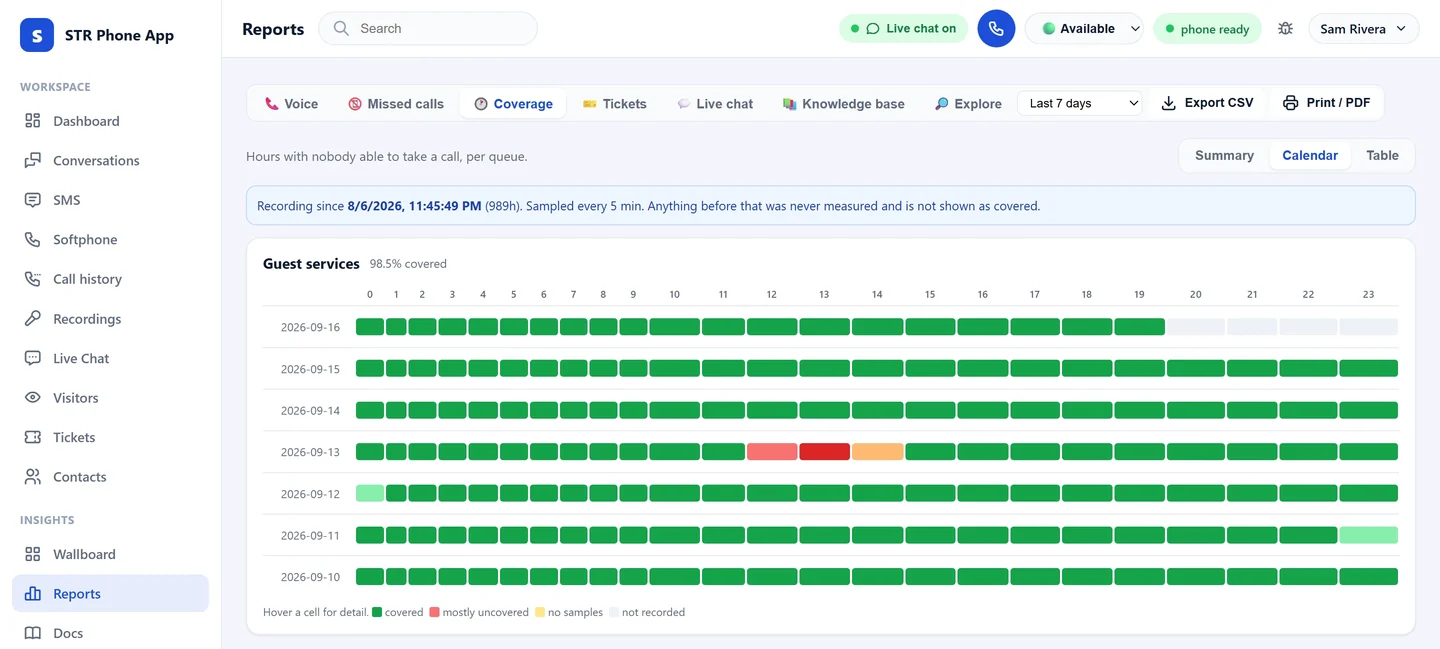
See the hours nobody could answer
Every five minutes, the coverage report checks whether someone in each queue could actually take a call, then colors every hour of every day. Gaps stand out at a glance.
Everything a guest-services team runs on
Built into the same app your agents already answer calls in.
Live wallboard
Queues, waiting conversations and who is available, updated live.
Reports
Calls, missed calls, tickets, live chat and knowledge base, with CSV export.
Queues and phone menus
Send callers to the right queue, with voicemail and callbacks when nobody is free.
Recordings and transcripts
Listen back to recorded calls and read what was said.
Response targets
A timer on every conversation shows when the first reply is due.
Roles and access
Agents, team leads, supervisors and admins each see what their role allows.
Pay for seats, not for everyone on your team
Seats move with whoever is on the phone, so a team working in shifts needs only as many as are on calls at the same time. Everyone can answer texts, email and website chat without one.
See it with your own team
Chat with us, call +1 (302) 877-1240 or email support@strphone.app, and we'll walk you through it.